
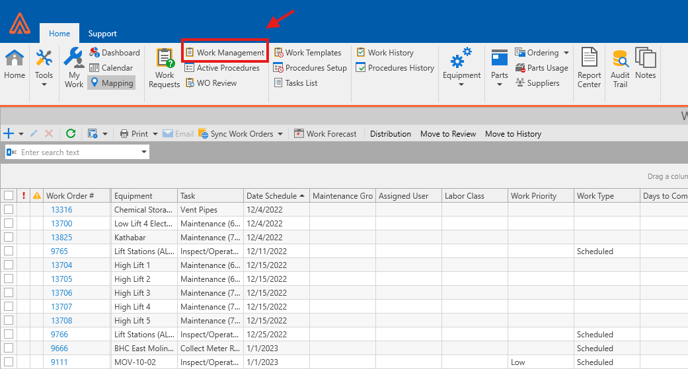
- Firstly, click on Work Management tab at the top of Antero to enter the Work Management View.
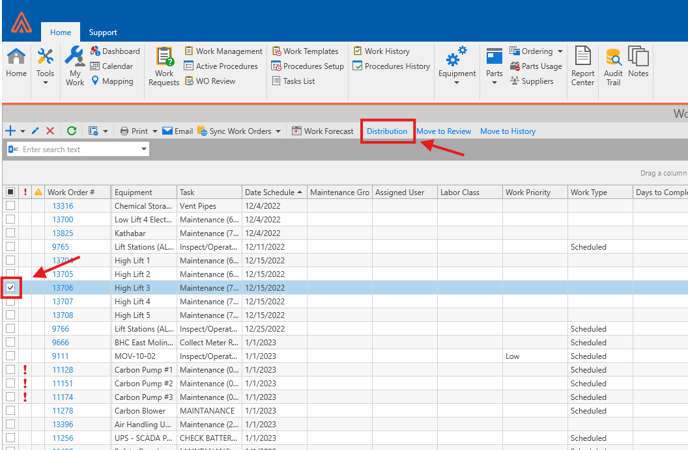
- Select the order(s) you wish to distribute to users by clicking the box to the left of the selected order(s) then clicking on Distribution at the top.
- This will open the Distribution Options window where you can choose the User you would like to assign this work order to, and the maintenance group. You can also select the work order status and choose to send the Work order via Email or to be printed.
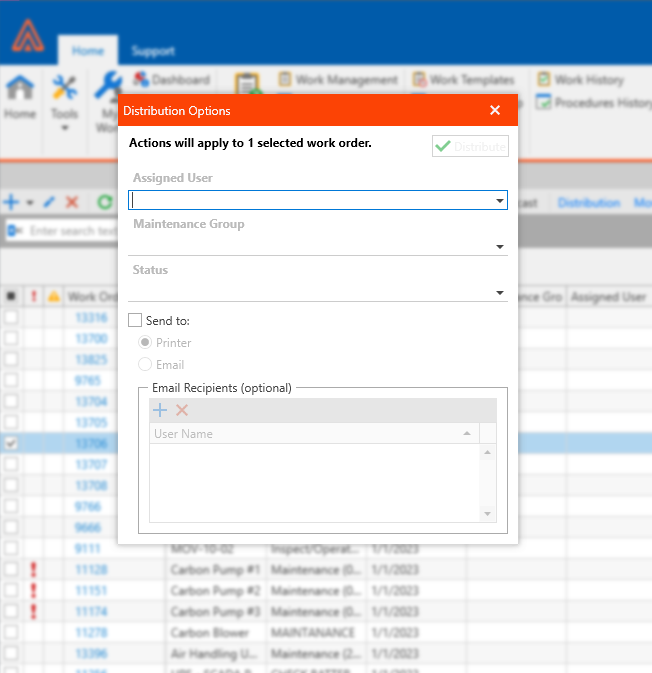
- Once you have filled out the fields you can press Distribute to finalize the process.